
10월 19일 · 1분
What A Day !

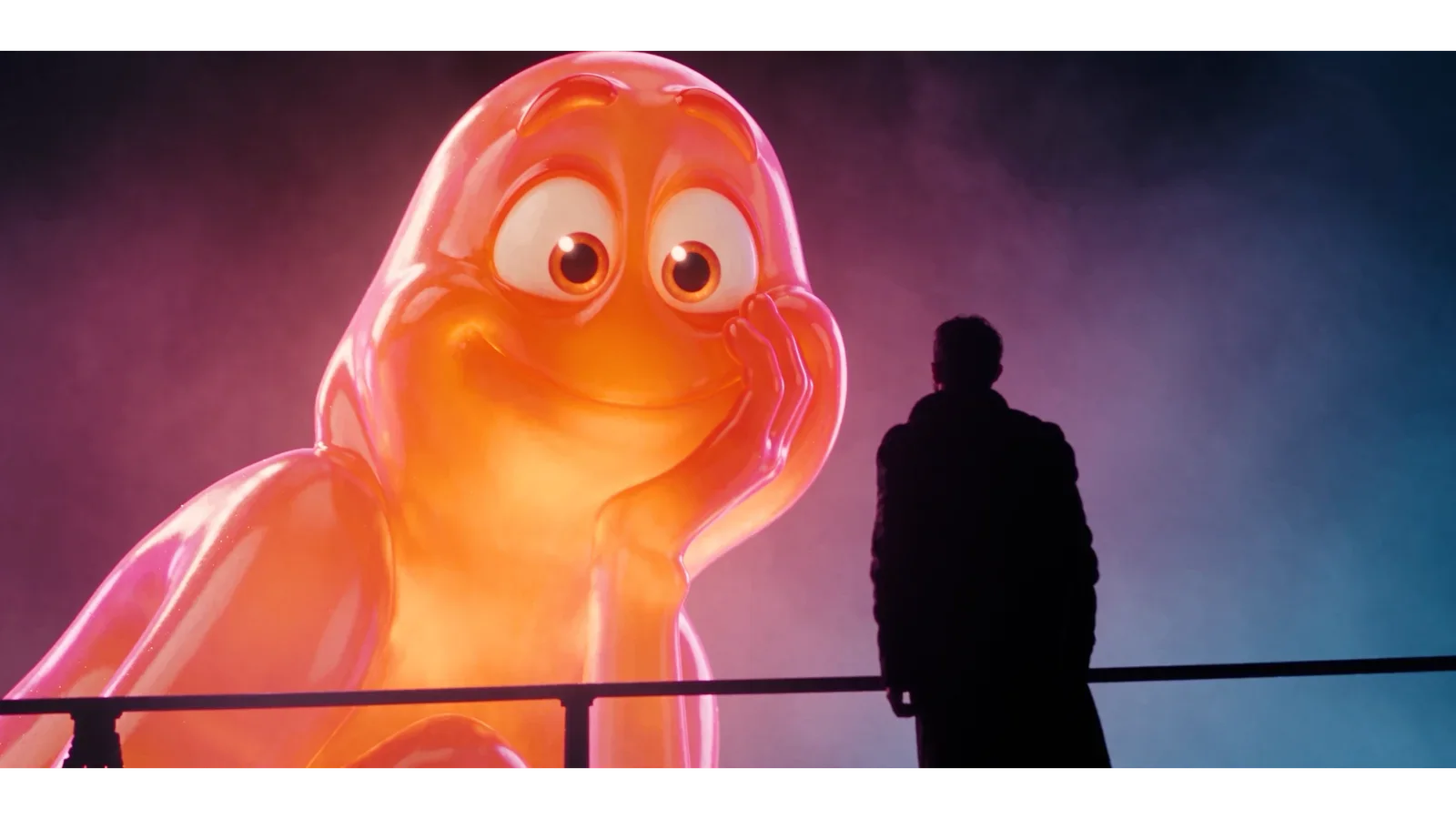
شكرا على دعمكم , تقدر تشوف ازاى تعمل حاجه شبه كده تحت 👇
لازم تعمل Character Sheet ل شخصيتك
Edit the supplied source video @비디오 1 by replacing only the two principal characters. Use the source video as the authoritative reference for all performance, movement, timing, framing and camera work. Use the reference images exclusively for the replacement characters’ identities and appearance.
CHARACTER MAPPING:
Reference Image 1 @image_2 shows Harald, the orange translucent character. Replace the original female character with Harald.
Reference Image 2 @이미지 1 shows Seif Hussam, the injured Egyptian man in the dark coat. Replace the original male character with Seif.
Keep these assignments consistent throughout every shot. Never swap, blend or duplicate their identities. Each reference sheet depicts multiple views of ONE character; do not reproduce its panels, grey background or multiple figures.
SEIF @이미지 1:
Preserve the exact facial identity, facial proportions, brown eyes, hairstyle, mustache, trimmed beard, skin tone and slim build shown in Reference Image 2. Preserve the same overlapping off-white nose bandages, facial abrasions, dried blood marks, neck injuries, dark weathered coat with its broad textured collar, black shirt, trousers and boots. Keep these details consistent across frames and viewing angles. Animate his face and body according to the original male character’s performance rather than the reference image’s static pose.
HARALD @image_2:
Preserve the exact character design shown in Reference Image 1: rounded orange jelly-like body, short limbs, large expressive eyes, orange eyebrows, distinctive mouth and teeth, glossy translucent material, coral-pink edge coloration and warm internal glow. Preserve his original proportions and recognizable silhouette. Do not turn him into a human, add human skin, hair, clothing or accessories, elongate his body to match human anatomy, or redesign his face. The reference smile and open-arm poses are appearance examples, not fixed animation instructions.
PERFORMANCE MATCH:
Transfer the original male character’s performance to Seif and the original female character’s performance to Harald. Match the source timing frame by frame: body movement, posture changes, head turns and tilts, eye direction, blinks, eyebrow movements, mouth movements, speech articulation, expression changes, pauses, gestures and reactions. Preserve the original emotional progression and interaction between the two characters. Do not add smiles, gestures, exaggerated reactions or independent actions.
For Harald, translate the female character’s performance onto his existing facial features and short-limbed anatomy while preserving the timing, direction, intention and emotional intensity of every action. His expression must change with her performance; do not hold the reference image’s broad smile throughout the clip. Preserve his design while matching the performance as closely as his anatomy permits.
SCENE CONTINUITY:
Keep each replacement in the corresponding original character’s scene position, with matching orientation, perspective, depth, eyeline and shot-relative scale. Preserve the female character’s apparent scale within the scene when placing Harald, including any giant or holographic presentation already present in the source, without changing Harald’s body proportions. Maintain correct occlusion and interaction with the environment.
Preserve the source background, architecture, props, atmosphere, lighting direction, neon illumination, shadows, reflections, focus, depth of field, camera movement, framing, shot order, cuts, duration and pacing. Integrate both replacements into the existing scene lighting while retaining Seif’s natural skin appearance and Harald’s orange translucent material. Preserve any source holographic treatment where applicable without redesigning Harald.
Retain the original audio, dialogue, voices, music and sound timing unchanged. Do not generate new dialogue or reinterpret the scene.
The result should be the same source scene and performances with only the two character appearances replaced. No extra characters, identity drift, facial flicker, unstable bandages, changing injuries, costume changes, distorted hands, additional limbs, added text, logos or new visual effects.
다시 만들기REFERENCE VIDEO
0:00 / 0:15
댓글 0